-
Introduction: Why Google Ads Is a Game-Changer for Small Businesses
-
Google Ads is one of the fastest ways for small businesses to reach ready-to-buy customers
-
Unlike organic marketing, Google Ads delivers immediate visibility on search results
-
Small businesses can compete with larger brands by targeting the right keywords and audiences
-
Ads appear when people actively search for products or services, meaning high purchase intent
-
You control your budget, targeting, and timing, making it cost-effective
-
Even a small daily budget can generate quality leads and sales
-
Google processes billions of searches daily, giving massive reach potential
-
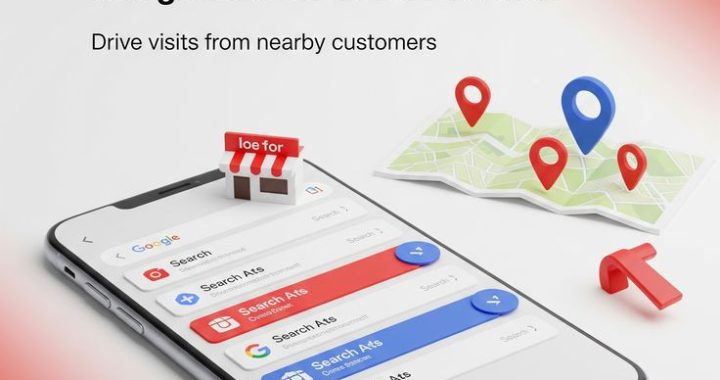
Local businesses can target nearby customers for faster conversions
-
Measurable data helps optimize performance continuously
-
Perfect for startups wanting quick traction in the market
-
What Is Google Ads?
-
Google Ads is Google’s online advertising platform
-
Businesses pay to display ads on Google Search, YouTube, and partner websites
-
It works mainly on a Pay-Per-Click (PPC) model
-
You only pay when someone clicks your ad
-
Ads can be text, display banners, shopping listings, or videos
-
You can target by keywords, location, demographics, and interests
-
AI and automation help improve targeting and bidding
-
Real-time analytics track clicks, leads, and sales
-
Suitable for both B2B and B2C businesses
-
Scalable from small budgets to large campaigns
Why Small Businesses Should Use Google Ads
-
Instant visibility on top of search results
-
Highly targeted audience reach
-
Budget flexibility for small advertisers
-
Faster results than SEO
-
High ROI when optimized properly
-
Ability to compete with big brands
-
Local targeting for nearby customers
-
Detailed performance tracking
-
Brand awareness and credibility boost
-
Control over when and where ads appear
-
Remarketing to past visitors increases conversions
-
Seasonal promotions can be launched quickly
-
Supports lead generation and eCommerce sales
-
Helps validate business ideas quickly
-
Drives both online and offline sales
How Google Ads Works (Simple Explanation)
-
Advertisers bid on keywords related to their business
-
Google runs an auction when someone searches
-
Ads compete based on bid + quality score
-
Quality Score depends on:
-
Ad relevance
-
Expected CTR
-
Landing page experience
-
-
Higher quality score = lower cost per click
-
Best combination wins top position
-
You set daily or monthly budget limits
-
Campaigns can be paused anytime
-
Optimization improves performance over time
Types of Google Ads Campaigns
Search Ads
-
Text ads on Google search results
-
Capture high-intent users
-
Best for lead generation
-
Great for service businesses
-
Ideal for local businesses
Display Ads
-
Visual banner ads on websites
-
Good for brand awareness
-
Cheaper clicks than search ads
-
Great for remarketing
-
Helps stay top-of-mind
Shopping Ads
-
Product-based ads for eCommerce
-
Show price, image, and store name
-
Appear above search results
-
High conversion rates
-
Best for online stores
Video Ads (YouTube)
-
Video promotions on YouTube
-
Strong for storytelling
-
Great audience engagement
-
Cost-effective views
-
Builds brand trust
Performance Max
-
AI-driven campaign type
-
Runs across all Google channels
-
Automated optimization
-
Good for scaling results
-
Requires strong assets
Benefits of Google Ads for Lead Generation
-
Reach people searching for your service
-
Capture high-quality leads
-
Use lead form extensions
-
Direct traffic to landing pages
-
Track calls and form submissions
-
Geo-targeted campaigns improve local leads
-
Schedule ads during business hours
-
Use call-only ads for direct inquiries
-
Remarketing captures lost leads
-
Fast data helps refine strategy
Benefits of Google Ads for Sales
-
Target high-intent buyers
-
Promote special offers
-
Show product pricing instantly
-
Shopping ads increase eCommerce sales
-
Retarget abandoned cart users
-
Use urgency-based copy
-
Optimize for conversions
-
Cross-sell related products
-
Seasonal campaigns boost revenue
-
Scale winning ads easily
Step-by-Step Setup Guide
Step 1: Define Goals
-
Leads, sales, or traffic
-
Set clear KPIs
-
Decide budget
-
Identify target audience
-
Choose locations
Step 2: Keyword Research
-
Use Google Keyword Planner
-
Target buyer-intent keywords
-
Focus on long-tail keywords
-
Avoid broad irrelevant terms
-
Analyze competitors
Step 3: Create Campaign
-
Choose campaign type
-
Set targeting
-
Define budget
-
Add extensions
-
Enable conversion tracking
Step 4: Write Ads
-
Strong headlines
-
Clear benefits
-
Call-to-action
-
Use numbers or offers
-
Include keywords
Step 5: Optimize Landing Page
-
Fast loading speed
-
Mobile-friendly design
-
Clear CTA
-
Simple forms
-
Trust signals
Budget Tips for Small Businesses
-
Start small and scale
-
Focus on high-intent keywords
-
Avoid wasting spend on broad terms
-
Set daily limits
-
Monitor CPC
-
Use negative keywords
-
Pause underperforming ads
-
Invest more in winners
-
Track ROI strictly
-
Test before scaling
Keyword Strategy Tips
-
Use long-tail keywords
-
Focus on buying intent
-
Include location keywords
-
Add negative keywords
-
Group similar keywords
-
Match types matter
-
Analyze search terms report
-
Update list regularly
-
Spy on competitors
-
Target problem-solving queries
Ad Copy Tips That Convert
-
Highlight benefits, not features
-
Include offers or discounts
-
Add urgency
-
Use emotional triggers
-
Include numbers
-
Ask questions
-
Add trust signals
-
Use strong CTA
-
Test multiple versions
-
Keep it simple
Landing Page Best Practices
-
Message match with ads
-
Clear headline
-
One main goal
-
Simple design
-
Fast speed
-
Mobile optimized
-
Testimonials
-
Strong CTA
-
Minimal distractions
-
Easy navigation
Common Mistakes to Avoid
-
No conversion tracking
-
Sending traffic to homepage
-
Ignoring negative keywords
-
Too broad targeting
-
Poor landing pages
-
Not testing ads
-
Unrealistic expectations
-
Stopping too early
-
Ignoring data
-
Not optimizing regularly
Optimization Strategies
-
A/B test ads
-
Improve quality score
-
Adjust bids
-
Refine targeting
-
Use remarketing
-
Analyze reports
-
Pause low performers
-
Scale top performers
-
Update keywords
-
Optimize landing pages
Remarketing Power
-
Target past visitors
-
Higher conversion rates
-
Lower CPC
-
Personalized ads
-
Cart abandonment recovery
-
Cross-selling
-
Brand recall
-
Audience segmentation
-
Frequency control
-
Strong ROI channel
Local Business Strategies
-
Geo-target small radius
-
Use location extensions
-
Run call-only ads
-
Target “near me” keywords
-
Schedule during hours
-
Promote local offers
-
Optimize Google Business Profile
-
Use maps integration
-
Focus on mobile users
-
Track call conversions
Measuring Success
-
Track conversions
-
Monitor CTR
-
Watch CPC trends
-
Calculate ROI
-
Analyze quality score
-
Review search terms
-
Track call leads
-
Evaluate landing pages
-
Compare campaigns
-
Optimize continuously
How Fast Can You See Results?
-
Traffic starts immediately
-
Leads possible within days
-
Sales often within weeks
-
Optimization improves results
-
Data accumulates quickly
-
Scaling depends on ROI
-
Competitive niches take time
-
Testing phase is normal
-
Patience + optimization wins
-
Consistency brings success
Scaling Your Campaigns
-
Increase budget on winners
-
Expand keyword lists
-
Try new locations
-
Launch remarketing
-
Test new offers
-
Add Performance Max
-
Improve landing pages
-
Use automation
-
Expand ad formats
-
Focus on profitability
Future of Google Ads
-
More AI automation
-
Smarter bidding
-
Better targeting
-
Privacy-safe tracking
-
Voice search growth
-
Video ad dominance
-
Visual shopping ads
-
Predictive analytics
-
Omnichannel marketing
-
Personalization focus
Final Thoughts
-
Google Ads is powerful for small businesses
-
Fastest way to generate leads and sales
-
Budget-friendly and scalable
-
Works for almost every industry
-
Success depends on strategy and optimization
-
Data-driven decisions improve ROI
-
Continuous testing is key
-
Strong landing pages boost results
-
Smart targeting saves money
-
Consistency brings long-term growth
-
Even small businesses can win big
-
Start simple and improve gradually
-
Focus on profitable keywords
-
Invest in learning or expert help
-
Take action and l