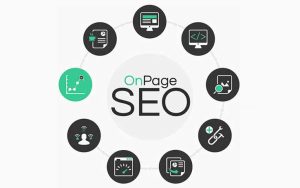
 On-Page SEO
Optimization done on your website pages to rank higher.
Includes:
-
Keyword optimization
-
Title tags & meta descriptions
-
Headings (H1, H2, H3)
-
High-quality content
-
Internal linking
-
Image optimization (alt text)
-
URL structure
-
User experience (UX)
Off-Page SEO
Actions taken outside your website to improve authority and rankings.
Includes:
-
Backlink building
-
Social media marketing
-
Influencer outreach
-
Guest blogging
-
Brand mentions
-
Online reputation management Technical SEO
Improves the technical aspects of your website so search engines can crawl and index it easily.
Includes:
-
Website speed optimization
-
Mobile-friendliness
-
XML sitemaps
-
Robots.txt
-
SSL certificate (HTTPS)
-
Fixing crawl errors
-
Structured data/schema markup
Local SEO
Helps businesses rank in local search results.
Includes:
-
Google Business Profile optimization
-
Local keywords
-
NAP consistency (Name, Address, Phone)
-
Local citations
-
Customer reviews
-
Local backlinks
E-commerce SEO
SEO specifically for online stores.
Includes:
-
Product page optimization
-
Category page SEO
-
Product descriptions
-
Review optimization
-
Schema markup for products
Technical Seo
Technical SEO is the part of search engine optimization that focuses on improving a website’s infrastructure so search engines can crawl, index, and understand it efficiently.
While content SEO is about what you say and off-page SEO is about who links to you, technical SEO is about how your site works under the hood.
Submission (Link Building)
Link building is the process of getting other websites to link to your website (called backlinks). These backlinks act like “votes of trust” that signal to search engines like Google that your content is valuable, credible, and worth ranking higher in search results.
Directory Submission
-
Submit website to online directories
-
Example: business listings, niche directories
-
Can be free or paid
2. Social Bookmarking
-
Submit pages to bookmarking sites
-
Helps in faster indexing
-
Drives referral traffic
3. Article Submission
-
Publish articles with links back to your site
-
Good for authority building

-
Primary Keyword
-
Secondary keyword
-
Second Secondary Keyword
1) First Factor - search volume
2) Keyword Difficulty - where search volume is high
-
1 to 30 - high chances , 30 to 60 - second high and Above 60 - hard
-
Secondary Keyword - Second number highest
-
Keyword Density - percent on keywords on webpage, homepage or about us
-
Rule - no random keywords
-
No stuffing - no more keywords
-
Keyword percentage limit in webpage and about us - fixed not more than 2% to 3% and no bulking
Keyword Frequency - measuring keywords into number
Proximity - Its related to frequency without breaking rule
Prominance - google rule
Keyword positioning - actual position on top in starting
start , mid and end position
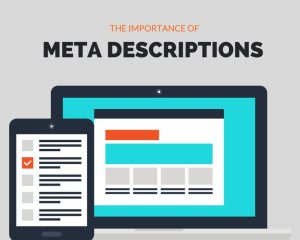 Meta tags are snippets of HTML code placed inside the
 <head> section of a webpage that provide metadata (information about the page) to search engines and browsers.
They don’t appear on the visible page for users, but they help search engines like Google and Bing understand, index, and display your content correctly.
Title Tag
A title tag is an HTML element that specifies the title of a web page. It appears:
-
As the clickable headline in search engine results pages (SERPs)
-
On the browser tab when a page is open
-
As the default title when a page is shared on many social platforms or bookmarked
Key features
-
Defines your page title in search results
-
The title tag is what users see as the clickable headline on search engine results pages (SERPs).
-
-
Major ranking factor
-
Search engines like Google use the title tag to understand your page topic and relevance.
-
-
Impacts click-through rate (CTR)
-
A clear, compelling title can significantly increase clicks from search results.
-
-
Appears in multiple places
-
Shown in:
-
SERPs
-
Browser tabs
-
Social shares (often used as default title
-
-
Meta Description
A meta description is an HTML meta tag that provides a concise summary of a webpage’s content. It appears in the page’s code and is commonly shown by search engines as the descriptive snippet under the page title in search results.
Key Features
Meta Tags – Key Features
-
Provide page information to search engines
-
Meta tags describe your webpage content to search engines and browsers.
-
They live in the
<head>section of HTML.
-
-
Not visible on the webpage
-
Users don’t see meta tags on the page itself, but they affect how your page appears in search results.
-
-
Help with SEO (Search Engine Optimization)
-
Some meta tags influence rankings and crawling behavior.
-
They help search engines understand your content.
-
-
Control search result appearance
-
Title and description meta tags shape how your site looks on SERPs (Search Engine Results Pages).
-
-
Improve click-through rate (CTR)
-
A compelling meta description can attract more clicks
-
Author Tag
The author tag is an HTML or metadata element used to identify the author (creator) of a webpage or piece of content. It helps search engines, browsers, and other platforms understand who wrote or published the content.
Key features
Author Identification
-
Shows who created the content
-
Gives credit to the writer
-
Builds transparency and trust with readers
2. Improves Credibility
-
Content with a clear author looks more trustworthy
-
Readers are more likely to trust expert-written articles
-
Helpful for professional blogs and news sites
Canonical Tag
Canonical tags (also called rel="canonical" tags) are an HTML element used in SEO to tell search engines which version of a webpage is the preferred or original version when multiple pages have similar or duplicate content.
Key features
Key Features of a Canonical Tag
-
Defines the Preferred URL
-
A canonical tag tells search engines which version of a page is the main (preferred) one when multiple URLs have similar or duplicate content.
-
-
Prevents Duplicate Content Issues
-
Helps avoid SEO problems caused by duplicate or very similar pages by consolidating ranking signals to one URL.
-
-
Consolidates Link Equity
-
All backlinks, authority, and ranking power from duplicate pages are passed to the canonical (main) URL
-
Robot Tags
A robots tag (usually called a meta robots tag) is an HTML tag that tells search engine crawlers how to treat a specific web page.
Robots Meta Tag – Key Features
-
Controls indexing
-
Decide whether a page can appear in search results.
-
-
Controls crawling behavior
-
Guide bots on following links on the page.
-
-
Page-level control
-
Works on individual pages (unlike
robots.txt, which is site-wide).
-
Distinction between Robot meta tag and Robot.txt
Robots.txt vs. Robots Meta Tag — Quick Summary
Feature |
Robots.txt |
Robots Meta Tag |
|---|---|---|
What it is |
A text file on your server |
An HTML meta tag inside a page |
Main purpose |
Control crawling |
Control indexing & crawling behavior |
Scope |
Site-wide or folder-level |
Page-level |
Placed where |
|
Inside
|
Used by |
Search engine bots like Google and Bing |
Same bots, but per page |
Can block indexing? |
❌ Not reliably |
✅ Yes (with
|