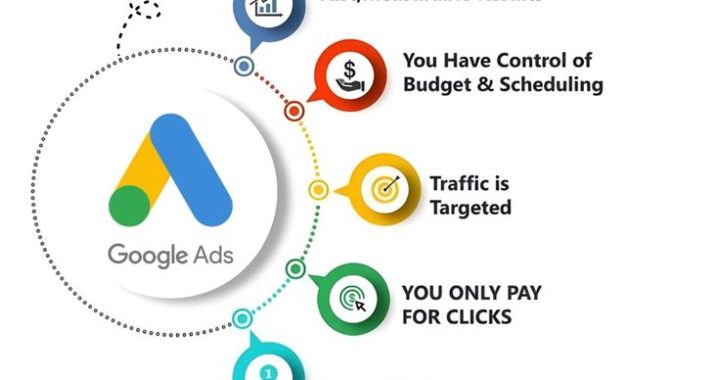
🔹 Section 1: Understanding Google Ads Basics
✅ What is Google Ads?
-
Google Ads is Google’s online advertising platform
-
Advertisers pay to show ads on:
-
Google search results
-
YouTube
-
Websites in Google Display Network
-
Apps and Gmail
-
-
You pay when:
-
Someone clicks your ad (PPC – Pay Per Click)
-
Or based on impressions (for some campaigns)
-
✅ How Google Ads Works
-
Google Ads runs on an auction system
-
Advertisers bid on keywords
-
Google decides ad placement based on:
-
Bid amount
-
Quality Score
-
Ad relevance
-
Expected click-through rate (CTR)
-
Landing page experience
-
-
Higher quality + relevant ads can:
-
Pay less per click
-
Rank higher than competitors
-
✅ Key Google Ads Terms Beginners Must Know
-
Keywords
-
Words people type in Google
-
-
CPC (Cost Per Click)
-
Amount you pay per click
-
-
CTR (Click Through Rate)
-
Clicks ÷ impressions
-
-
Quality Score
-
Google’s rating of ad quality
-
-
Conversion
-
Desired action (purchase, sign-up, call)
-
-
Impressions
-
Number of times ad is shown
-
-
Ad Rank
-
Determines ad position
-
🔹 Section 2: Setting Clear Goals Before Running Ads
✅ Why Goals Matter
-
Prevents wasted money
-
Helps measure success
-
Guides campaign structure
-
Improves ROI
✅ Common Google Ads Goals
-
Lead generation
-
Form fills
-
Phone calls
-
-
Website traffic
-
Sales and revenue
-
Brand awareness
-
App installs
-
Local store visits
✅ SMART Goal Framework
-
Specific
-
Example: “Get 50 leads per month”
-
-
Measurable
-
Track conversions
-
-
Achievable
-
Based on budget
-
-
Relevant
-
Supports business growth
-
-
Time-bound
-
Set deadlines
-
🔹 Section 3: Creating Your Google Ads Account
✅ Step-by-Step Account Setup
-
Go to ads.google.com
-
Sign in with Gmail
-
Click “Start Now”
-
Switch to Expert Mode
-
Choose “Create account without campaign”
-
Enter:
-
Billing country
-
Time zone
-
Currency
-
-
Add billing details
✅ Why Expert Mode is Better
-
Full control over:
-
Keywords
-
Bidding
-
Campaign types
-
-
Avoids automated settings
-
Better for learning and scaling
🔹 Section 4: Choosing the Right Campaign Type
✅ Search Campaigns (Best for Beginners)
-
Text ads on Google search results
-
Targets high-intent users
-
Ideal for:
-
Services
-
Local businesses
-
Lead generation
-
✅ Display Campaigns
-
Banner ads on websites
-
Good for:
-
Brand awareness
-
Remarketing
-
-
Lower intent but large reach
✅ Video Campaigns
-
Ads on YouTube
-
Great for:
-
Brand storytelling
-
Product demos
-
✅ Shopping Campaigns
-
For e-commerce stores
-
Shows product images and prices
-
High conversion potential
✅ Performance Max
-
AI-driven campaigns
-
Shows ads across all networks
-
Good for scaling later
🔹 Section 5: Keyword Research Blueprint
✅ Why Keyword Research is Critical
-
Determines who sees your ads
-
Affects cost and conversions
-
Poor keywords = wasted budget
✅ How to Find Keywords
-
Use Google Keyword Planner
-
Analyze competitors
-
Use Google suggestions
-
Check “People also search for”
✅ Types of Keywords
-
Broad Match
-
Wide reach
-
-
Phrase Match
-
More control
-
-
Exact Match
-
Highly targeted
-
✅ Beginner Strategy
-
Start with:
-
Phrase match
-
Exact match
-
-
Avoid broad match initially
✅ Focus on High-Intent Keywords
-
“Buy”
-
“Hire”
-
“Best”
-
“Near me”
-
“Affordable”
🔹 Section 6: Structuring Campaigns Properly
✅ Ideal Structure
-
Account
-
Campaign
-
Ad Groups
-
Keywords
-
Ads
-
-
-
✅ Best Practices
-
One theme per ad group
-
10–20 related keywords
-
Highly relevant ads
✅ Example
-
Campaign: Digital Marketing Services
-
Ad Group 1: SEO Services
-
Ad Group 2: Google Ads Services
-
Ad Group 3: Social Media Marketing
-
🔹 Section 7: Writing High-Converting Ads
✅ Key Elements of a Great Ad
-
Headline
-
Description
-
Display URL
-
Extensions
✅ Ad Copy Tips
-
Include keyword in headline
-
Highlight benefits
-
Add numbers or offers
-
Use strong CTA
-
Call Now
-
Get Free Quote
-
Book Today
-
✅ Emotional Triggers
-
Save money
-
Save time
-
Reduce stress
-
Gain results fast
✅ Use Ad Extensions
-
Sitelinks
-
Call extensions
-
Location extensions
-
Price extensions
🔹 Section 8: Landing Page Optimization
✅ Why Landing Pages Matter
-
Affects Quality Score
-
Impacts conversions
-
Improves ROI
✅ Must-Have Elements
-
Clear headline
-
Fast loading speed
-
Mobile friendly design
-
Simple form
-
Trust signals
-
Reviews
-
Testimonials
-
Certifications
-
✅ Match Message to Ad
-
If ad says “50% Off SEO”
-
Landing page must show it
🔹 Section 9: Budgeting & Bidding Strategy
✅ Setting a Budget
-
Start small
-
$5–$20/day
-
-
Test before scaling
-
Increase for winning campaigns
✅ Bidding Options
-
Manual CPC
-
Full control
-
-
Maximize Clicks
-
Good for beginners
-
-
Maximize Conversions
-
Needs data
-
-
Target CPA
-
Advanced strategy
-
🔹 Section 10: Conversion Tracking Setup
✅ Why Tracking is Essential
-
Shows what works
-
Prevents blind spending
-
Enables optimization
✅ What to Track
-
Purchases
-
Form submissions
-
Calls
-
Downloads
✅ Tools
-
Google Ads Conversion Tracking
-
Google Analytics
-
Google Tag Manager
🔹 Section 11: Optimization Blueprint
✅ Weekly Optimization Tasks
-
Check search terms
-
Add negative keywords
-
Pause poor performers
-
Improve CTR
-
Adjust bids
✅ Monthly Tasks
-
A/B test ads
-
Improve landing pages
-
Scale top campaigns
-
Review conversion data
🔹 Section 12: Negative Keywords Strategy
✅ Why Negative Keywords Save Money
-
Blocks irrelevant clicks
-
Improves ROI
✅ Examples
-
Free
-
Jobs
-
Cheap (if premium brand)
-
DIY
-
Course (if selling service)
🔹 Section 13: Remarketing for Beginners
✅ What is Remarketing?
-
Target past visitors
-
Show ads again
✅ Benefits
-
Higher conversion rates
-
Lower cost
-
Builds trust
🔹 Section 14: Common Beginner Mistakes
❌ No keyword research
❌ Sending traffic to homepage
❌ No conversion tracking
❌ Using broad match only
❌ Ignoring mobile users
❌ Not testing multiple ads
❌ Giving up too early
🔹 Section 15: Scaling Winning Campaigns
✅ When to Scale
-
Consistent conversions
-
Positive ROI
-
Stable CPA
✅ How to Scale
-
Increase budget slowly
-
Expand keywords
-
Try new locations
-
Launch remarketing
🔹 Section 16: Pro Tips for Faster Success
-
Focus on intent, not volume
-
Quality > quantity
-
Test continuously
-
Track everything
-
Learn from data
-
Be patient but strategic
🔹 Final Blueprint Summary
🚀 Step-by-Step Success Path
-
Set clear goals
-
Choose Search campaigns
-
Do proper keyword research
-
Write strong ads
-
Use optimized landing pages
-
Track conversions
-
Optimize weekly
-
Add negatives
-
Scale winners
🎯 Conclusion
-
Google Ads is beginner-friendly when done right
-
Success comes from:
-
Testing
-
Learning
-
Optimizing
-
-
Even small budgets can bring big returns
-
Start simple
-
Stay consistent
-
Improve based on data
-
With the blueprint above:
-
You can launch confidently
-
Avoid common pitfalls
-
Build profitable campaigns
-