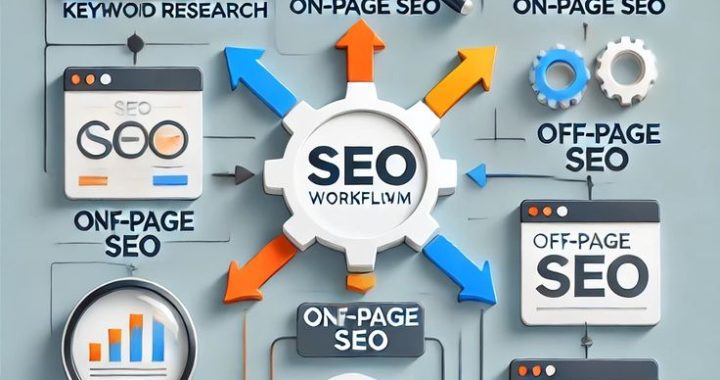
What is SEO?
-
SEO stands for Search Engine Optimization
-
It is the process of improving your website to rank on Google
-
Helps websites appear in search results
-
Focuses on organic (free) traffic
-
Involves optimizing content and website structure
-
Helps users find your website
-
Makes your site more visible
-
Drives targeted visitors
-
Supports business growth
-
Builds online presence
-
Improves credibility
-
Increases brand awareness
-
Works long-term
-
Not a quick-fix method
-
Requires consistency
-
Involves strategy
-
Combines technical + creative work
-
Focuses on user value
-
Aligns with search engine rules
-
Essential for digital success
Why SEO is Important
-
Millions of searches happen daily
-
People search before buying
-
SEO brings free traffic
-
Reduces ad costs
-
Builds trust
-
Increases visibility
-
Improves brand authority
-
Drives quality leads
-
Works 24/7
-
Long-term benefits
-
Helps small businesses compete
-
Improves website usability
-
Boosts conversions
-
Targets ready customers
-
Supports marketing strategy
-
Delivers high ROI
-
Builds credibility
-
Improves user experience
-
Strengthens online presence
-
Supports growth
How Search Engines Work
-
Search engines use bots (crawlers)
-
Bots scan websites
-
Pages get indexed
-
Algorithms rank pages
-
Rankings depend on many factors
-
Keyword relevance matters
-
Content quality matters
-
Backlinks matter
-
Website speed matters
-
Mobile-friendliness matters
-
User experience matters
-
Fresh content helps
-
Authority signals count
-
Engagement signals matter
-
Secure websites rank better
-
Structured data helps
-
Internal links guide bots
-
Google matches intent
-
Best results rank higher
-
Goal is user satisfaction
Types of SEO
On-Page SEO
-
Optimizing page content
-
Keyword placement
-
Title tags
-
Meta descriptions
-
Headings
-
URL structure
-
Internal links
-
Image optimization
-
Content formatting
-
User-friendly design
Off-Page SEO
-
Backlinks
-
Guest posts
-
Social signals
-
Brand mentions
-
Influencer outreach
-
PR strategies
-
Directory listings
-
Community engagement
-
Reviews
-
Reputation building
Technical SEO
-
Website speed
-
Mobile optimization
-
HTTPS security
-
XML sitemaps
-
Robots.txt
-
Crawlability
-
Fix broken links
-
Clean code
-
Structured data
-
Proper redirects
What are Keywords?
-
Words people type in Google
-
Represent user searches
-
Connect users to content
-
Core of SEO
-
Must match user intent
-
Can be short or long
-
Long-tail keywords are specific
-
Buyer keywords show intent
-
Informational keywords educate
-
Research keywords compare
-
Local keywords target areas
-
Seasonal keywords follow trends
-
Question keywords answer queries
-
Keywords guide content
-
Should be natural
-
Avoid stuffing
-
Focus on relevance
-
Updated regularly
-
Based on research
-
Foundation of strategy
Keyword Research Basics
-
Start with ideas
-
Use Google suggestions
-
Use keyword tools
-
Check search volume
-
Check competition
-
Focus on long-tail
-
Study competitors
-
Target realistic keywords
-
Group related terms
-
Focus on intent
-
Map keywords to pages
-
Avoid duplication
-
Track performance
-
Update often
-
Use question phrases
-
Focus on value
-
Choose relevance
-
Prioritize opportunities
-
Think like users
-
Plan wisely
Creating SEO-Friendly Content
-
Write for people first
-
Solve problems
-
Provide value
-
Be clear
-
Use simple language
-
Add headings
-
Use bullet points
-
Keep paragraphs short
-
Include keywords naturally
-
Add images
-
Use examples
-
Add statistics
-
Include FAQs
-
Make it helpful
-
Keep it original
-
Avoid plagiarism
-
Update content
-
Add internal links
-
Add external sources
-
Keep readability high
Title Tags & Meta Descriptions
-
Title tag = page headline in Google
-
Should include keywords
-
Keep under limit
-
Make it attractive
-
Encourage clicks
-
Meta description = summary
-
Helps improve CTR
-
Should be clear
-
Include keywords naturally
-
Add call-to-action
-
Make it relevant
-
Unique for each page
-
Avoid duplication
-
Match page content
-
Improve visibility
-
Helps rankings indirectly
-
Write for users
-
Be compelling
-
Highlight benefits
-
Keep optimized
URL Optimization
-
Keep URLs short
-
Use keywords
-
Avoid numbers
-
Avoid symbols
-
Make readable
-
Use hyphens
-
Keep structure clean
-
Reflect content
-
Avoid long strings
-
Be user-friendly
-
Easy to share
-
SEO-friendly URLs rank better
-
Maintain consistency
-
Avoid changing often
-
Redirect if changed
Internal Linking
-
Links between your pages
-
Helps navigation
-
Improves crawlability
-
Distributes authority
-
Keeps users longer
-
Connects related content
-
Helps rankings
-
Guides search engines
-
Improves UX
-
Use descriptive anchor text
-
Avoid over-linking
-
Link to relevant pages
-
Update links
-
Fix broken ones
-
Plan structure
Image Optimization
-
Use high-quality images
-
Compress size
-
Add alt text
-
Use descriptive names
-
Improve loading speed
-
Helps accessibility
-
Supports SEO
-
Use proper format
-
Avoid heavy files
-
Make mobile-friendly
-
Add captions if needed
-
Enhance engagement
-
Support visual search
-
Improve UX
-
Optimize regularly
Mobile SEO
-
Google uses mobile-first indexing
-
Website must be responsive
-
Fast loading important
-
Easy navigation
-
Clear fonts
-
Optimized images
-
Avoid pop-ups
-
Touch-friendly design
-
Test on devices
-
Improve UX
-
Mobile speed matters
-
Clean layout
-
Simple menus
-
Optimize forms
-
Reduce clutter
Website Speed
-
Fast sites rank better
-
Users hate slow pages
-
Compress images
-
Use caching
-
Use CDN
-
Reduce scripts
-
Optimize code
-
Choose good hosting
-
Minimize redirects
-
Improve server response
-
Test speed tools
-
Monitor regularly
-
Improve Core Web Vitals
-
Speed boosts UX
-
Speed boosts conversions
Backlinks for Beginners
-
Links from other websites
-
Show trust
-
Improve authority
-
Help rankings
-
Quality > quantity
-
Earn naturally
-
Guest posting helps
-
Create valuable content
-
Outreach to blogs
-
List in directories
-
Collaborate
-
Avoid spam links
-
Avoid buying links
-
Build relationships
-
Focus on quality sites
Local SEO Basics
-
Helps local businesses
-
Optimize Google Business Profile
-
Add contact details
-
Maintain NAP consistency
-
Get reviews
-
Use local keywords
-
Add location pages
-
Upload photos
-
Respond to reviews
-
Add maps
-
Join directories
-
Build local links
-
Engage community
-
Post updates
-
Improve visibility
Common Beginner Mistakes
-
Keyword stuffing
-
Copying content
-
Ignoring mobile
-
Slow websites
-
No strategy
-
Buying backlinks
-
Duplicate content
-
Ignoring UX
-
Weak titles
-
No updates
-
Thin content
-
No analytics
-
Poor navigation
-
No internal links
-
Chasing shortcuts
-
Inconsistent posting
-
No audits
-
Wrong intent
-
Over-optimization
-
Impatience
Simple SEO Plan for Beginners
-
Learn basics
-
Do keyword research
-
Create helpful content
-
Optimize pages
-
Improve speed
-
Make mobile-friendly
-
Build backlinks
-
Track results
-
Update content
-
Stay consistent
-
Focus on users
-
Avoid shortcuts
-
Keep learning
-
Monitor performance
-
Improve gradually
SEO Tools for Beginners
-
Google Search Console
-
Google Analytics
-
Ubersuggest
-
Ahrefs
-
SEMrush
-
Moz
-
Yoast SEO
-
Rank Math
-
Screaming Frog
-
PageSpeed Insights
How Long Does SEO Take?
-
SEO is long-term
-
Results take months
-
Depends on competition
-
Depends on quality
-
Depends on consistency
-
Small wins come first
-
Authority builds over time
-
Patience required
-
Regular updates help
-
Continuous improvement needed
-
SEO compounds
-
Long-term rewards
-
Not instant
-
Sustainable growth
-
Worth the effort
Future of SEO
-
AI search growth
-
Voice search rise
-
Visual search
-
Mobile dominance
-
User-focused SEO
-
Intent-based results
-
Better personalization
-
Quality priority
-
Experience signals
-
Faster websites
-
Smarter algorithms
-
Video importance
-
Structured data growth
-
E-E-A-T importance
-
Human value matters
Final Beginner Takeaways
-
Start simple
-
Focus on value
-
Learn consistently
-
Optimize gradually
-
Think long-term
-
Help users first
-
Be patient
-
Quality wins
-
Avoid shortcuts
-
Track progress
-
Improve continuously
-
Build trust
-
Stay updated
-
SEO is a journey
-
Consistency is key
-
Small steps matter
-
Growth takes time
-
Anyone can learn SEO
-
Start today
-
Success follows efforts